
Choosing between QuickBooks and a bookkeeper is a common decision for small business owners. Software is cheaper and always on. A bookkeeper costs more but brings judgment. Which one is right depends on your business, your time, and how complex your books are.
The QuickBooks vs hiring a bookkeeper question is not always one or the other. Many businesses use both. QuickBooks stores and organizes financial records, while a bookkeeper reviews the details and handles tasks that require judgment.
There is no universal answer here. The right call depends on facts about your business, not a rule of thumb. This guide gives you those facts so you can decide for yourself.
Here is the short version. If your books are simple and you have time, QuickBooks alone can work. If your books are growing or complex, or your time is better spent elsewhere, a bookkeeper may justify the cost by saving time and reducing avoidable errors. Many owners land somewhere in the middle.
This guide compares the two honestly for businesses in Allen and elsewhere in Collin County. It explains what QuickBooks does well, where DIY bookkeeping can break down, what a bookkeeper adds, and how the costs compare. We also cover the hybrid approach that many businesses land on. You can see our bookkeeping services if you want to talk it through.
What QuickBooks does well

QuickBooks Online is capable software, and for many businesses it is enough on its own. Here is what it does well.
It automates data entry. Bank feeds pull in transactions, and rules can categorize the common ones. That saves hours compared to typing everything by hand.
QuickBooks calculates invoice totals, applies the sales-tax settings you configure, and generates financial reports from the data in your account. Its automated sales tax feature uses your business location, customer details, and product or service tax categories to calculate sales tax. Texas sourcing rules have exceptions, so review the result before relying on it.
It gives you reports on demand. A profit and loss statement, a balance sheet, and cash flow reports are built in. You can see how the business is doing at any time.
QuickBooks usually has a lower direct monthly cost than outsourced bookkeeping, but you still need to account for your time and the risk of mistakes. You can access it from supported devices with an internet connection (Intuit).
It also connects to other tools. Payment processing, payroll, and many apps plug in, so QuickBooks can sit at the center of your finances. Because it is cloud-based, you and your accountant can work in the same file.
There is a learning curve, though. QuickBooks is powerful, which means it takes time to learn. The features only help if you set them up right and use them consistently. That is the catch we cover next.
For a simple business, this can be all you need. Low transaction volume, few accounts, no payroll, and an owner who is comfortable with the software. In that case, QuickBooks on its own may do the job well.
Where DIY breaks down
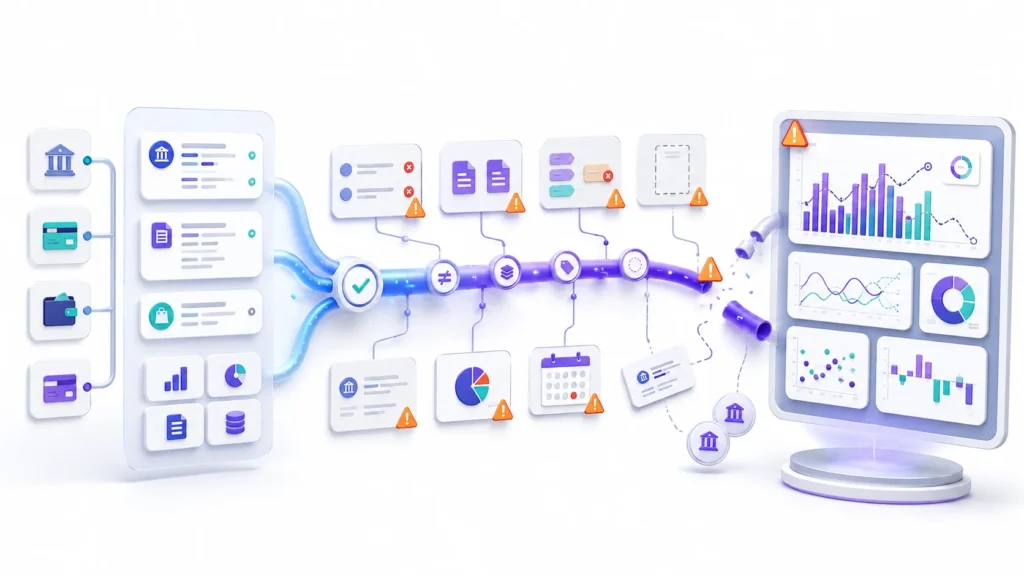
Software is only as good as the person using it. QuickBooks does what you tell it, not what you meant. That is where doing it yourself can break down.
The first strain is time. Even with automation, someone has to review, categorize, and reconcile. As the business grows, that someone is often you, on nights and weekends.
The second is knowledge. QuickBooks does not know your business. It may suggest categories or help identify reconciliation issues, but it does not guarantee that your coding, deductions, or tax setup are correct. Mistakes can sit for months before anyone notices.
The third is reconciliation. Connecting the bank feed is not the same as reconciling. Many DIY books look fine but never truly tie out to the statements. Errors hide in that gap.
The fourth is the harder tasks. Payroll, sales tax filing, catch-up cleanup, and a clean month-end close take skill. Software helps, but it does not do the judgment for you.
Sales tax is a common trip-up. Setting it up wrong, or filing late, can lead to penalties. QuickBooks can calculate the tax, but it does not register you with the state or guarantee you file on time. That part is still on you.
This hits Texas businesses in a specific way. Allen sits in Collin County, where the total sales tax rate combines the state rate with local rates, so it depends on your exact address. The Texas Comptroller also assigns your filing schedule, monthly, quarterly, or yearly, based on volume. Software can calculate the tax, but someone still has to confirm the rate and meet the deadline.
Local business types matter too. A contractor tracking job costs, a restaurant handling tips and inventory, and a solo consultant all put different demands on their books. The more moving parts you have, the sooner software alone starts to strain.
Growth makes all of this harder. What works for a handful of transactions a month can strain at a few hundred. More volume, more accounts, and payroll all raise the odds that something slips.
Bookkeeping problems are not always easy to notice. Bad books rarely announce themselves. They look fine until tax time, or until you need a loan and the numbers do not hold up. By then, the fix is bigger.
None of this means QuickBooks is the problem. It means the tool needs a capable driver. If the books keep slipping, or you dread looking at the numbers, that is a sign the DIY approach is straining.
What a bookkeeper adds

A bookkeeper brings the judgment that software cannot. A skilled bookkeeper does not necessarily replace QuickBooks. They use it to maintain and review your records.
The U.S. Bureau of Labor Statistics describes bookkeeping clerks as workers who record financial data and keep accounts accurate (BLS). In practice, a skilled bookkeeper does more than data entry.
Depending on the agreed service scope, a qualified bookkeeper may reconcile accounts, review unusual transactions, and support payroll. Proper reconciliation means the numbers actually tie out, and errors get caught early, while the details are still fresh.
Many also take on the tricky parts, though services vary by engagement. That can include sales tax, payroll support, catch-up cleanup, and a real month-end close. For Texas sales tax, a bookkeeper who offers that service can help you file on your assigned schedule with the Texas Comptroller.
They can give you more time to focus on running the business. You spend less time coding transactions. For many owners, that trade alone is worth it.
Deadlines are another area where help matters. Sales tax, payroll taxes, and 1099s all have due dates. If deadline tracking is part of your agreed scope, a bookkeeper can help keep a missed filing from catching you off guard.
They also work well with your tax pro. Clean and organized records may reduce the time your accountant needs for tax preparation, although the final fee depends on the accountant and the complexity of your books. The two roles support each other.
Know the limits of the role. A bookkeeper usually manages day-to-day records and reconciliations. Tax returns, complex tax advice, audits, and some financial decisions may require an accountant, CPA, or another qualified professional.
Experience matters too. A bookkeeper who knows your industry has likely seen your common issues before. They can set up your books to match how your business actually runs, not a generic template.
They also bring a second set of eyes. A person who knows your books can spot problems, answer questions, and flag things before they grow. If you are not sure whether you need one yet, see our guide on signs your business needs a bookkeeper.
Cost comparison
Cost is often the deciding factor, so let us compare it honestly. These are cost structures, not exact prices, since prices vary by provider and by business.
QuickBooks alone is the lowest direct cost. You pay a monthly software subscription. But you also pay with your time, and with the risk of errors if the books are wrong.
A bookkeeper is a higher direct cost. You pay a service fee, usually monthly, on top of the software. In return, you receive professional review and can spend less time managing the books yourself.
The hybrid sits in between. You keep the software and add limited help, like a monthly close or a periodic review. You pay for support only where you need it.
| Approach | Direct cost | Your time | Best for |
|---|---|---|---|
| QuickBooks only | Lower (software subscription) | High | Simple books and a hands-on owner |
| Bookkeeper | Higher (service fee plus software) | Low | Growth, complexity, or no time |
| Hybrid | In between | Medium | Owners who want a mix of both |

Think about your time honestly. Add up the hours you spend on the books each month, then ask what that time is worth to the business. If those hours could go to sales or customers, the software-only path may cost more than it looks.
Weigh the risk too. Accurate books lower the chance of a costly mistake at tax time or with the state. That protection has value, even if it does not show up on an invoice.
Setup is worth budgeting for as well. Whether you go solo or hire help, a correct setup may reduce cleanup work and costs later. Fixing a disorganized file can require more time than starting with a clean setup.
One point matters. Cheap is not the same as low cost. If doing it yourself leads to errors, cleanup, or a missed filing, the true cost can be higher than paying for help. Accurate records can also make tax prep faster.
For current QuickBooks pricing, check Intuit directly, since plans and prices change. For bookkeeping fees, ask for a quote based on your books, because they depend on your volume and scope.
Hybrid approach

For many businesses, the best answer is both. You keep QuickBooks and add a bookkeeper for the parts that need a human. This is the hybrid approach.
It works in a few ways. You handle daily entry, and a bookkeeper does the monthly close. Or you run the software, and a bookkeeper reviews it each month. Or a bookkeeper sets it up right, then you maintain it.
The hybrid gives you the strengths of both. The lower cost and control of software, plus the accuracy and judgment of a person. You are not paying for full service you do not need.
It also scales. Early on, you might do most of it yourself with a light review. As you grow, you can hand off more. The setup grows with the business.
Payroll is a common piece to hand off. It is easy to get wrong and costly when you do. Many owners keep their own books but let a bookkeeper or a payroll service run payroll.
Here is a simple example of how a hybrid arrangement could work. An owner records daily sales and pays bills in QuickBooks. A bookkeeper logs in monthly to reconcile, review, and produce reports. The owner stays close to the numbers, while the monthly review helps keep the books current and organized.
How do you decide the mix? Start with what you are good at and have time for, and keep those tasks. Hand off the parts that are slow, risky, or easy to get wrong. Revisit the split as the business changes.
To make the split concrete, here is a sample monthly division of duties. This is a template to adapt, not a description of any particular client. Adjust it to your business and your agreement.
| Task | Owner (in QuickBooks) | Bookkeeper |
|---|---|---|
| Daily | Send invoices, record payments, capture receipts | Not involved |
| Weekly | Review the bank feed, code the obvious items | Answer questions on unclear transactions |
| Month end | Send statements and any missing receipts | Reconcile accounts, clear uncategorized items, adjust entries |
| Reporting | Read the reports, ask questions | Produce profit and loss, balance sheet, cash flow |
| Compliance | Confirm deadlines are covered | Support sales tax and payroll filings, where in scope |
Notice the pattern. The owner keeps the fast, daily work close, since they know the business. The bookkeeper takes the month-end tasks that need method and repetition. That is usually where a hybrid pays off.
[ADDS ORIGINAL VALUE, REAL MATERIAL ONLY: replace or supplement the sample table above with the firm’s own division of duties, plus one genuine element such as a mistake the reviewer actually finds often in Allen or Collin County client files, or a short anonymized client example used with permission. This is the remaining gap between a good article and a distinctive one. Do not invent clients, results, or experience.]
One caution with the hybrid. Split the work clearly. If no one owns a task, it falls through the cracks. Agree on who does what, and when, so nothing gets missed.
There is no single right mix. The point is that it does not have to be all software or all human. You can build the blend that fits your business and your budget.
Do I need a bookkeeper if I use QuickBooks?
Here is a simple way to place yourself. Read the three lists and see which one sounds most like your business.
QuickBooks alone may be enough when:
- You have a low number of monthly transactions.
- You do not manage payroll or inventory.
- You understand categorization and reconciliation.
- You review your books consistently.
Professional help may make sense when:
- Accounts remain unreconciled.
- You regularly fall behind.
- You manage payroll, sales tax, or several accounts.
- Your reports do not match your bank statements.
- Bookkeeping takes time away from customers or sales.
A hybrid approach may fit when:
- You want to enter daily transactions yourself.
- You need someone to perform the monthly close.
- You want periodic reviews instead of full monthly service.
If you land in more than one list, that is normal. Start with the option that solves your biggest pain, then adjust as the business changes.
Our service
Tax by Lonestar helps small businesses in Allen, TX and across Collin County get this balance right. Whether you need QuickBooks set up, a monthly close, or full bookkeeping, we can fit the level of help to your needs.
We also work with your existing QuickBooks file. If the software is already in place, we review the setup and maintain the file according to the agreed service scope. If you are just starting, we can set it up to fit your business.
We keep it flexible. As your business changes, the level of help can change with it, so you are not paying for more than you need.
Not sure where you land? That is exactly what a consultation is for. We help you weigh the software, the help, and the hybrid, then pick what fits your business today.
In a free consultation, we look at where your books stand and help you decide what mix of software and support makes sense. Contact us to set one up.
This guide is general information, not tax, accounting, or financial advice. The right choice depends on your business. For advice on your situation, talk to a qualified bookkeeper, accountant, or CPA.